
Kaasino Login for UK Players: Sign In or Open an Account in GBP
Kaasino login needs an e-mail address and a password: press Log In in the top corner, fill in both fields and confirm, or use the Google button if you registered with Google. The same Kaasino casino login window works on a desktop and in a phone browser, and it opens your account at Kaasino UK with its GBP balance and active bonuses. New players press Sign Up in the same header and open an account in pounds.
New GBP accounts can claim the Welcome Package: 225% up to £5,000 and 500 bonus spins over the first three deposits.
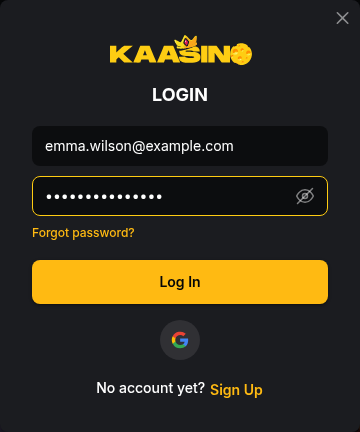
How to Sign In: Four Moves From the Log In Button
The Login window has two fields and one button, so returning players sign in to Kaasino in four moves:
-
Open the Login window
Press Log In in the header to open the Login window.

-
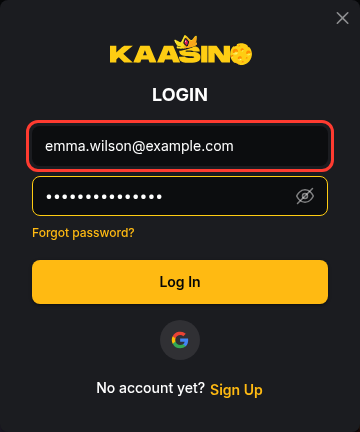
Enter your e-mail
Type the e-mail address you registered with.
-
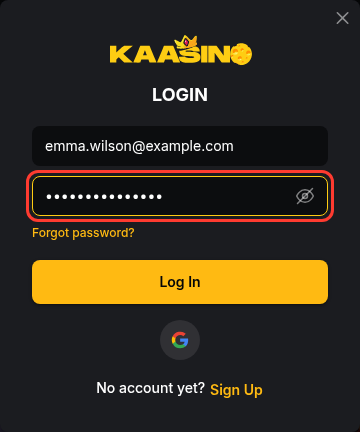
Type your password
Enter your password, and tap the eye icon to check it for a typo.
-
Confirm with Log In
Press Log In to reach your balance and the Deposit button.
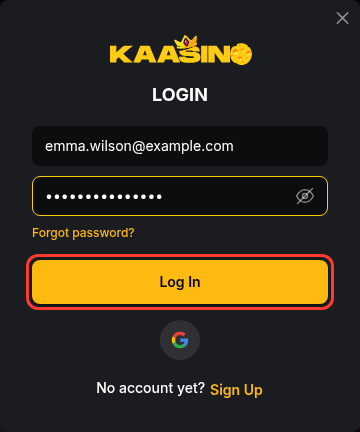
Accounts created through Google skip both fields: the Google button under Log In signs you in with that Google account. The window also holds the Forgot password? link and a "No account yet? Sign Up" line for new players.
Kaasino Sign Up: Five Fields With GBP Preset
Kaasino sign up runs in the "Sign up to Kaasino" window. It asks for no phone number, name or date of birth, and it has no promo code box:
Press Sign Up in the header.

Enter your e-mail address. A wrong format shows "Invalid email format".
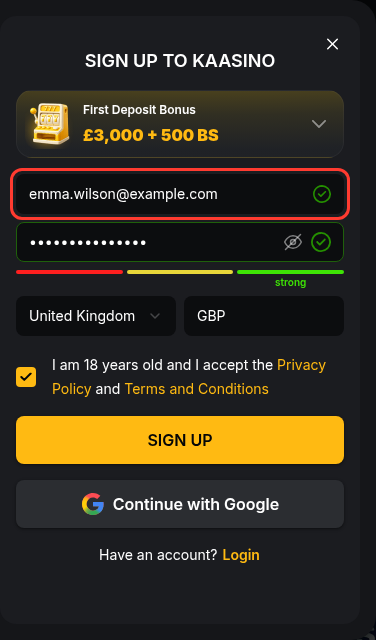
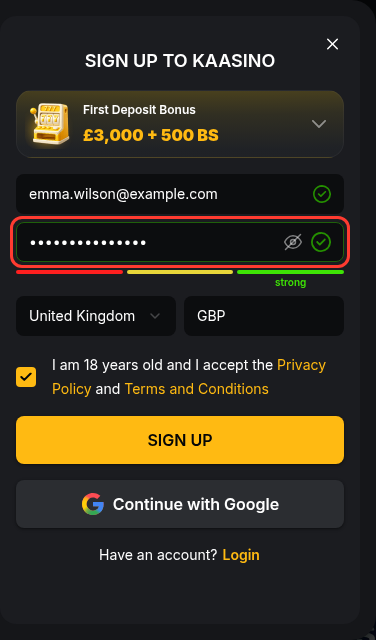
Choose a password and watch the strength meter under the field.
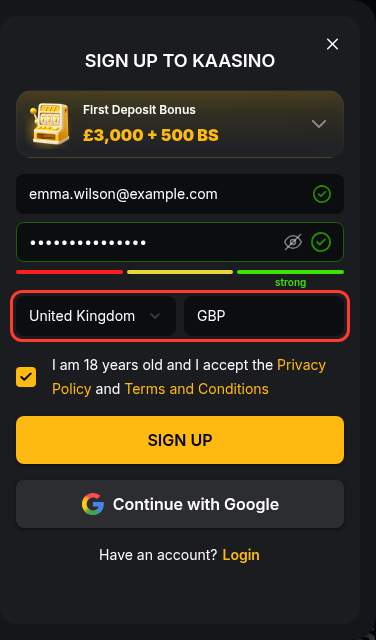
Check that Country shows United Kingdom and Currency shows GBP.
Keep the box "I am 18 years old and I accept the Privacy Policy and Terms and Conditions" ticked only if both are true.
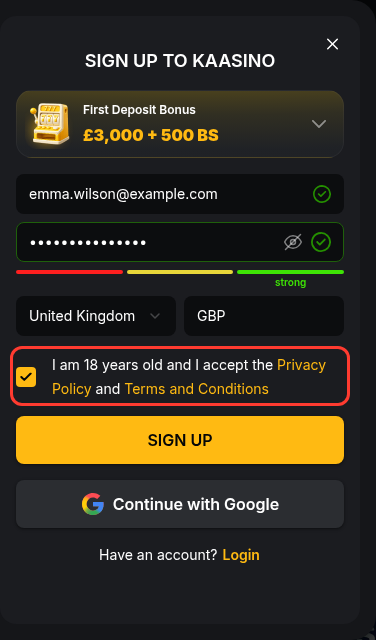
Press Sign Up, which becomes active once the form is valid.
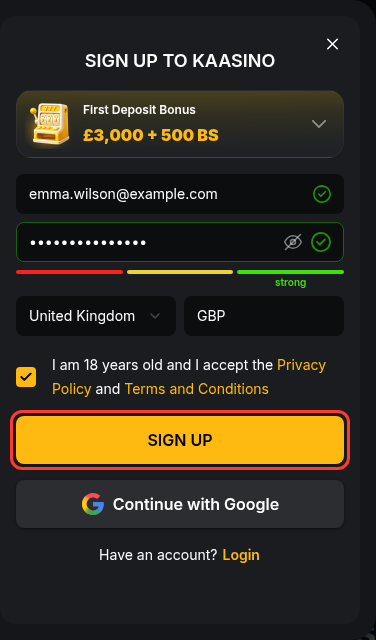
Continue with Google replaces the e-mail and password with your Google account. Kaasino registration is complete when you follow the link in the confirmation e-mail, and each player may hold one account only.
18+ only. If you have self-excluded through GAMSTOP or want a break from gambling, please do not sign up. Free, confidential support: National Gambling Helpline 0808 8020 133.
Password Reset and Locked Accounts
A lost password, a locked account, a forgotten address and a site that will not open each have their own route:
| Problem | What to do |
|---|---|
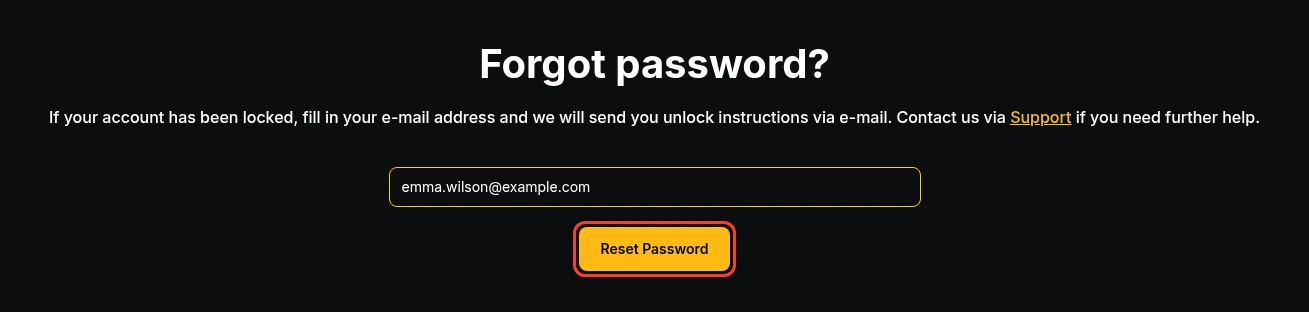
| Forgotten password | Press Forgot password? in the Login window, enter the account e-mail and press Reset Password. Instructions arrive by e-mail. |
| Locked account | The same Reset Password page sends unlock instructions to your e-mail address. |
| Forgotten e-mail address | Contact support. The team confirms your identity before restoring access. |
| Site will not open | Write to support@kaas.bet. Do not sign in through "mirror" or "new link" pages sent by strangers. |
Support also answers through the live chat button on the site and through the contact form on the Support page.
Logging In From Your Phone or a Home Screen Icon
In a phone browser, Log In and Sign Up sit in the top bar and open the same window as on a desktop. Kaasino has no native app: the Install app item in the menu leads to a page for adding Kaasino to your home screen as a web app, which opens in standalone mode without the browser's address bar. The Kaasino web app uses the same account and the same details, so money deposited from a laptop is already on the balance when you open the icon on your phone.
Account Verification Before Your First Withdrawal
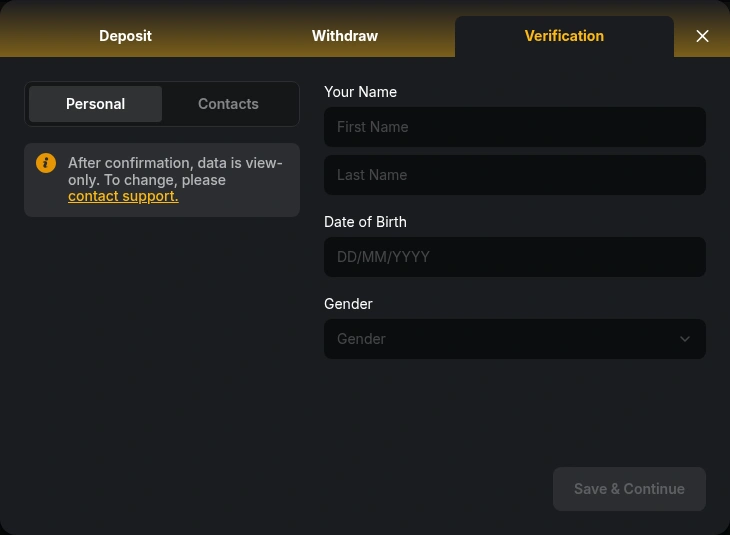
Two checks sit behind the login. The first is your e-mail: right after you sign in, a banner reads "Verify email to unlock your exclusive bonuses". The second check is identity, which Kaasino may request before a withdrawal, so filling it in early saves a wait at the cashier:
- The Verification tab of the cashier has two sections, Personal (name, date of birth, gender) and Contacts.
- Once confirmed, the data is view-only, and changes go through support.
- Documents must be in the Latin alphabet, otherwise a video verification takes their place.
- The identity check takes 24-48 hours.
Deposits are accepted only from payment methods in your own name, so the name under Personal should match your bank card and bank account.
Deposit Button, Bonus Choice and 10,000+ Games in One Account
After you sign in, the header shows your balance and a Deposit button. The Banking tab takes Open Banking deposits from £20 to £4,000 with quick amounts of £100, £250, £500 and £1,000, and the Crypto tab accepts USDT from 5 USDT. The Deposit button opens with the Welcome Package (code WB) on it, and "Deposit without Bonus" leaves the offer out. The Kaasino welcome bonus gives 100% up to £3,000 on a first deposit from £30, plus up to 500 bonus spins in three Belatra slots, wagering x35. With the same login you can browse the game lobby of 10,000+ titles or switch to the sportsbook for football, tennis and In-Play markets.
Welcome Package
225% up to £5,000 + 500 bonus spins over three deposits
Spotting a Fake Kaasino Login Page
Copies of casino login pages exist to collect passwords. The real Login window has two fields, E-mail and Password, plus the Google button, so a page that asks for a card number or a bank code at sign-in is not Kaasino's. Type the address yourself or use a bookmark, and ignore login links in text messages, unexpected e-mails or pages that call themselves mirrors. Choose a password the strength meter does not rate as weak and use it nowhere else. If a page looks wrong, close it and write to support@kaas.bet before you enter anything.
Signing In and Signing Up: Short Answers
Can I log in to Kaasino with my Google account?
Yes, if you opened the account with Continue with Google. Press Log In, choose the Google button and pick the same Google account you used at sign-up. Players who registered with an e-mail and a password keep using those two details.
Do I need to confirm my e-mail before I play?
You can sign in before confirming it. Until you follow the link in the confirmation e-mail, a banner in the account asks you to verify the address, and the exclusive bonuses tied to it stay locked.
Do I have to send documents before I can log in?
No. Signing in needs only your e-mail and password. Identity documents are a withdrawal matter: Kaasino may ask for them before paying out, not before letting you into the account.
Can I open a second account?
No. Kaasino allows one account per player, and its bonus terms limit each offer to one per user, IP address, device, household and payment method. Abuse of these rules can void bonus winnings.
Where do I enter a bonus code at sign-up?
Nowhere: the sign-up form has no code field. The offers behind codes WB, KSN75 and KAA50 for the first three deposits are chosen in the deposit window before you pay.