
Kaasino App for UK Phones: Add the Casino to Your iPhone or Android Home Screen
The Kaasino app is a web app, not a store download: open the site in Safari on an iPhone or Chrome on an Android phone, add it to your home screen, and a Kaasino icon starts the casino in its own window. It loads the full Kaasino casino with the same account, GBP balance, cashier and sportsbook, so there is no APK to install and no second registration. iPhone players use Add to Home Screen in the Share menu, and Android players pick Install app in the Chrome menu.
Phone deposits start at £20 with Apple Pay or Google Pay.
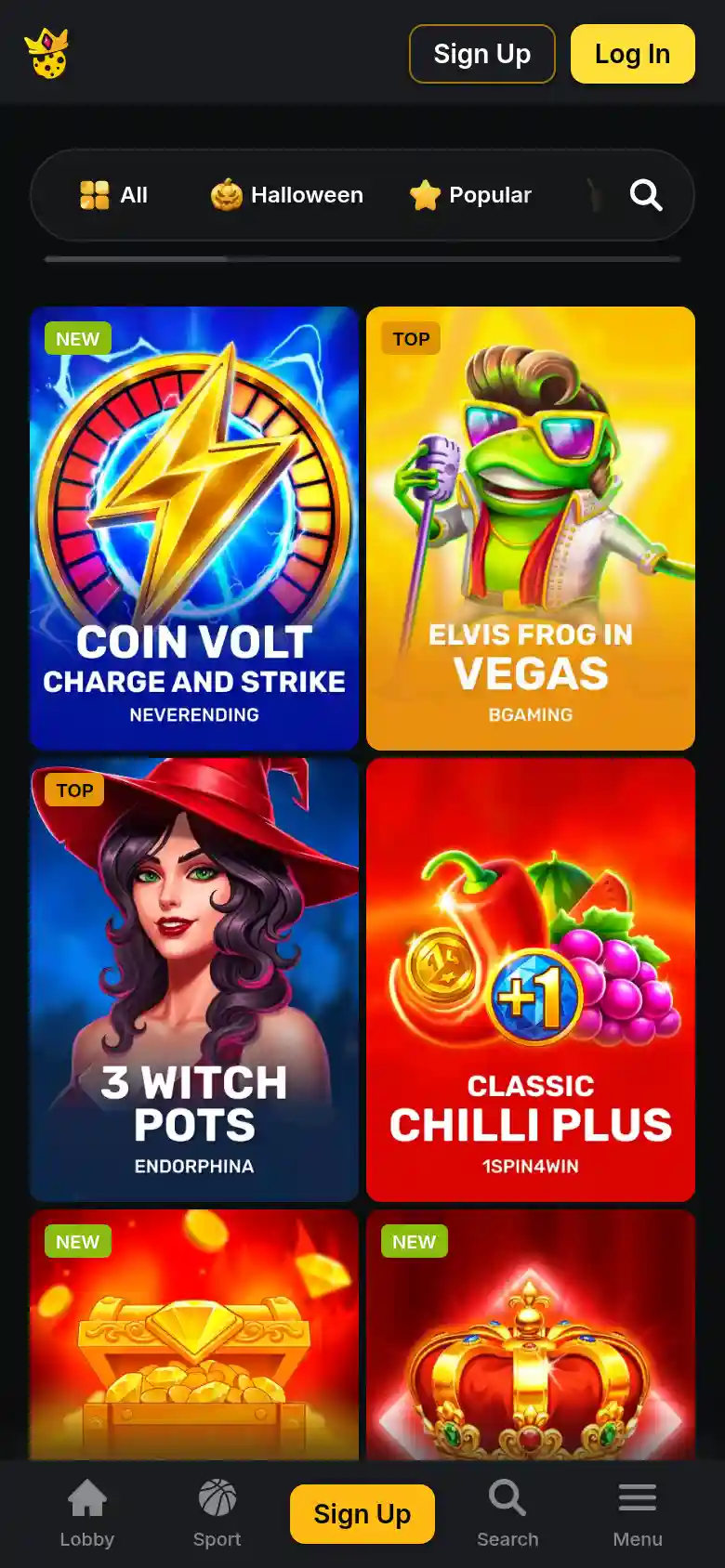
Web app at a glance
- Type
- web app (PWA), no native app
- Icon name
- Kaasino
- Window
- standalone, no address bar
- iPhone
- Safari, Add to Home Screen
- Android
- Chrome, Install app
- APK file
- none
- Store listing
- none
Why Kaasino Is Not in the App Store or Google Play
Search either store and you will not find a Kaasino app. Google Play accepts real-money gambling apps only from operators licensed for the country, which in Great Britain means a UK Gambling Commission licence, and Kaasino is not licensed by the UK Gambling Commission. There is no native app and no APK file: Kaasino offers a web app instead. In place of a store listing, the site menu has an Install app item that walks you to adding Kaasino to your home screen, and the icon carries the Kaasino name. Opened from there, the casino fills the screen with no browser bar on top, and there is nothing to download or update.
iPhone First: Add Kaasino to Your Home Screen in Safari
iPhones account for about 51% of mobile web use in the UK, ahead of Android, so the Safari route comes first:
-
Open Safari
Open Safari and load the Kaasino site, signed in or not.
-
Tap Share
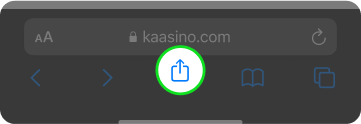
Tap the Share button, the square with an arrow pointing up.
-
Choose Add to Home Screen
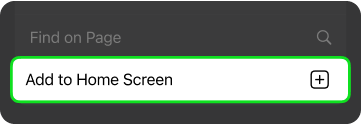
Scroll down the list and choose Add to Home Screen.
-
Name the icon
Keep the name Kaasino or type your own, then tap Add.
-
Open and log in
Open the new icon from your home screen and log in with your e-mail and password.
If the Share button is not visible, scroll the page up slightly and the Safari toolbar comes back.
Android Phones: Install From Chrome Without an APK
On Android the same icon comes from Chrome, and no setting for unknown sources needs switching on, because no file is installed:
-
Open Chrome
Open Chrome and load the Kaasino site.
-
Open the menu
Tap the three-dot menu in the top right corner.
-
Choose Install app
Choose Install app or Add to Home screen, whichever your Chrome version shows.
-
Confirm the install
Confirm with Install or Add.
-
Launch the icon
Open the Kaasino icon from the home screen or the app drawer.
Files offered elsewhere as a Kaasino APK do not come from the brand, which publishes no Android file, so keep them off your phone.
Home Screen Icon or Browser Tab: What Changes
Both routes load the same Kaasino site, so the difference lies in how it opens, not in what it offers:
| Aspect | Browser tab | Home screen icon |
|---|---|---|
| Window | inside Safari or Chrome, with the address bar | its own window, no address bar |
| Start | type the address or open a bookmark | tap the Kaasino icon |
| Login | e-mail and password or Google | the same details, the same balance |
| Updates | every visit loads the current site | the icon loads the current site, nothing to update |
| Sections | casino, cashier, sportsbook | casino, cashier, sportsbook |
The web app needs only Safari on an iPhone or Chrome on an Android phone and a 4G, 5G or Wi-Fi connection, since the games run from the site rather than from your phone's storage.
Sign In and Pay by Apple Pay or Google Pay on Your Phone
The top bar of the mobile site holds Log In and Sign Up, and both open the same windows as on a computer. The Kaasino casino login takes your e-mail and password, or a single tap on the Google button for accounts opened with Google. After that the header shows your balance and the Deposit button. Apple Pay and Google Pay take deposits from £20 to £2,000 each, free of charge. Open Banking accepts £20 to £4,000 through your UK bank, and USDT deposits start at 5 USDT. Withdrawals go to Visa or Mastercard in 1-3 banking days, from £75 to £5,000, or to a crypto wallet from the equivalent of £30 up to £10,000. Kaasino processes each request within 48 hours.
Phone cashier
10,000+ Games and the Sportsbook on a Small Screen
Under the banner, the mobile lobby lines up the same category tabs as the desktop: All, Popular, New, Slots, Table, Live, Bonus Buy, Crash, Roulette, Random and Jackpot, plus a Halloween tab. The site lists 10,000+ games from 100+ providers, and the Popular row opens with 3 Coin Volcanoes, Crown Coins and Hot Chilli Bells 100. A tap on a tile opens the game, so you can spin the reels of Blast the Bass by Belatra, a high-volatility slot with 96.72% RTP. Live tables from Absolute Live Gaming, Live Vegas, BetGames and Tvbet sit in the Live tab. The sportsbook shares the account and covers Premier League and Champions League football, tennis, basketball and In-Play markets, with fractional odds such as 59/50.
Popular on mobile
 3 Coin VolcanoesPlay 3 Coin Volcanoes
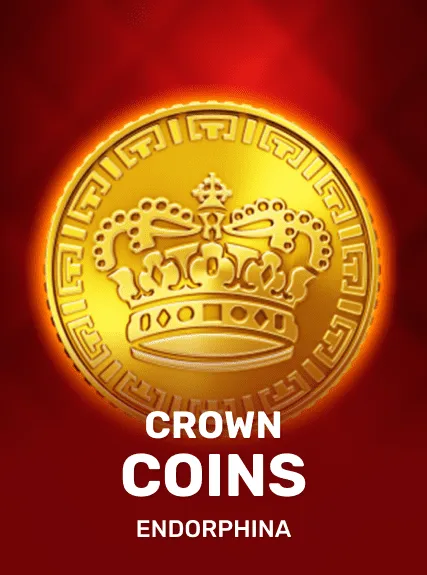 Crown CoinsPlay Crown Coins
 Hot Chilli Bells 100Play Hot Chilli Bells 100
 Sticky Mystery: Hold 'N' LinkPlay Sticky Mystery
 Frozen Coins 243Play Frozen Coins 243
 Clawbass Bonanza 2000Play Clawbass Bonanza
 Only SpinsPlay Only Spins
 3 Fortune SoulsPlay 3 Fortune Souls
Offers You Can Claim From the Phone
The menu item that installs the web app reads "Install app - Unlock secret bonus", and the reward behind it has no published conditions. Every published offer is claimed the same way on the phone: press Deposit, pick it from the bonus list and tap Apply. The Kaasino bonus for new accounts is the Welcome Package of 225% up to £5,000 and 500 bonus spins over three deposits, starting from a £30 first deposit with x35 wagering. Verifying your e-mail address after sign-up also matters here, since the account banner ties the exclusive bonuses to it.
18+ only. Deposit, loss and session limits are set through support, and the National Gambling Helpline on 0808 8020 133 offers free, confidential help.
Web App Questions From UK Players
Does the Kaasino web app cost anything?
No. Adding the icon is a built-in feature of Safari and Chrome, so there is no purchase and no store account involved. Kaasino charges no fee on deposits either.
How do I remove the icon?
Press and hold the Kaasino icon and choose the remove option your phone offers. Your account, balance and active bonus stay as they are, and the icon can be added again from Safari or Chrome at any time.
Can I use the account I already have?
Yes. The icon signs you in with the details you use on the desktop site, e-mail and password or Google, and no second registration is needed. Your GBP balance and any active bonus are shared between the two.
What if the icon stops opening the site?
Delete the icon, open the site in Safari or Chrome and add it again; your account does not change. If the site will not load in the browser either, write to support@kaas.bet instead of trying links sent by strangers.
How do I contact support from my phone?
Use the live chat button on the mobile site or the contact form on the Support page. Kaasino also takes questions at support@kaas.bet, its chat window links Telegram and WhatsApp, and the site states that support works 24/7.